> ## Documentation Index
> Fetch the complete documentation index at: https://cobo-docs-feature-cobo-cli.mintlify.site/llms.txt
> Use this file to discover all available pages before exploring further.
# Understand API Playground
The API Playground is a web-based tool designed for developers looking to explore and experiment with the Cobo WaaS 2.0 API directly from the Developer Hub, all within the browser.
 ## Overview
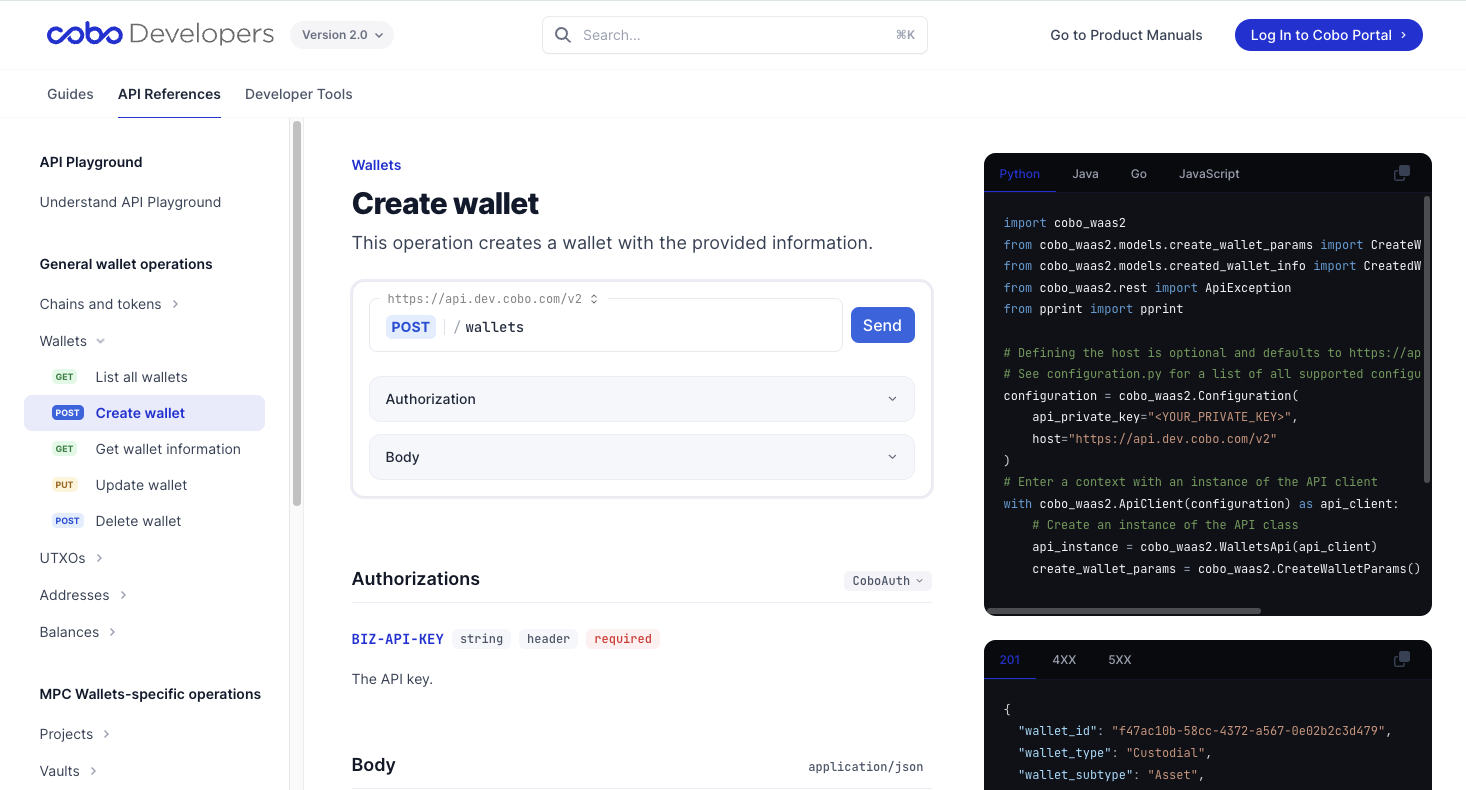
The API Playground consists of two main parts:
* Request composer located in the center. It allows easy modification of the authorization headers, path parameters, query parameters, and request body as needed.
For API requests sent via the API Playground, you only need to provide your API secret (private key) in the request headers. However, for actual API requests, you need to provide your API key (public key), a nonce, and an API signature as request headers. For more details, see [Authentication](https://www.cobo.com/developers/v2/guides/overview/cobo-auth).
* Request viewer and response viewer located on the right. They display sample codes of the WaaS SDKs and sample responses.
Before you use the sample codes of the WaaS SDKs, make sure that you have installed the SDKs. For more details, see the [corresponding get-started guide](https://www.cobo.com/developers/v2/developer-tools/quickstart-python).
## Prerequisites
To use the API Playground, ensure the following:
* Create and configure your Cobo Account for the development environment. For instructions on creating and setting up a Cobo Account, see [Set up Cobo Accounts](https://manuals.cobo.com/en/accounts/sign-up). For more details about development environments, see [Environments](/v2/guides/overview/environments).
* Generate an API key specifically for the development environment and configure it on Cobo Portal. For instructions on generating and setting up an API key, see [API Key](/v2/guides/overview/cobo-auth#api-key). The API secret (private key) will be used in the following steps.
## Overview
The API Playground consists of two main parts:
* Request composer located in the center. It allows easy modification of the authorization headers, path parameters, query parameters, and request body as needed.
For API requests sent via the API Playground, you only need to provide your API secret (private key) in the request headers. However, for actual API requests, you need to provide your API key (public key), a nonce, and an API signature as request headers. For more details, see [Authentication](https://www.cobo.com/developers/v2/guides/overview/cobo-auth).
* Request viewer and response viewer located on the right. They display sample codes of the WaaS SDKs and sample responses.
Before you use the sample codes of the WaaS SDKs, make sure that you have installed the SDKs. For more details, see the [corresponding get-started guide](https://www.cobo.com/developers/v2/developer-tools/quickstart-python).
## Prerequisites
To use the API Playground, ensure the following:
* Create and configure your Cobo Account for the development environment. For instructions on creating and setting up a Cobo Account, see [Set up Cobo Accounts](https://manuals.cobo.com/en/accounts/sign-up). For more details about development environments, see [Environments](/v2/guides/overview/environments).
* Generate an API key specifically for the development environment and configure it on Cobo Portal. For instructions on generating and setting up an API key, see [API Key](/v2/guides/overview/cobo-auth#api-key). The API secret (private key) will be used in the following steps.
- The API Playground only supports API keys registered in the development environment.
- For security reasons, avoid using the API key for API Playground testing in the production environment.
## Test an API operation
1. Select the API operation you want to test.
2. Modify the request as follows:
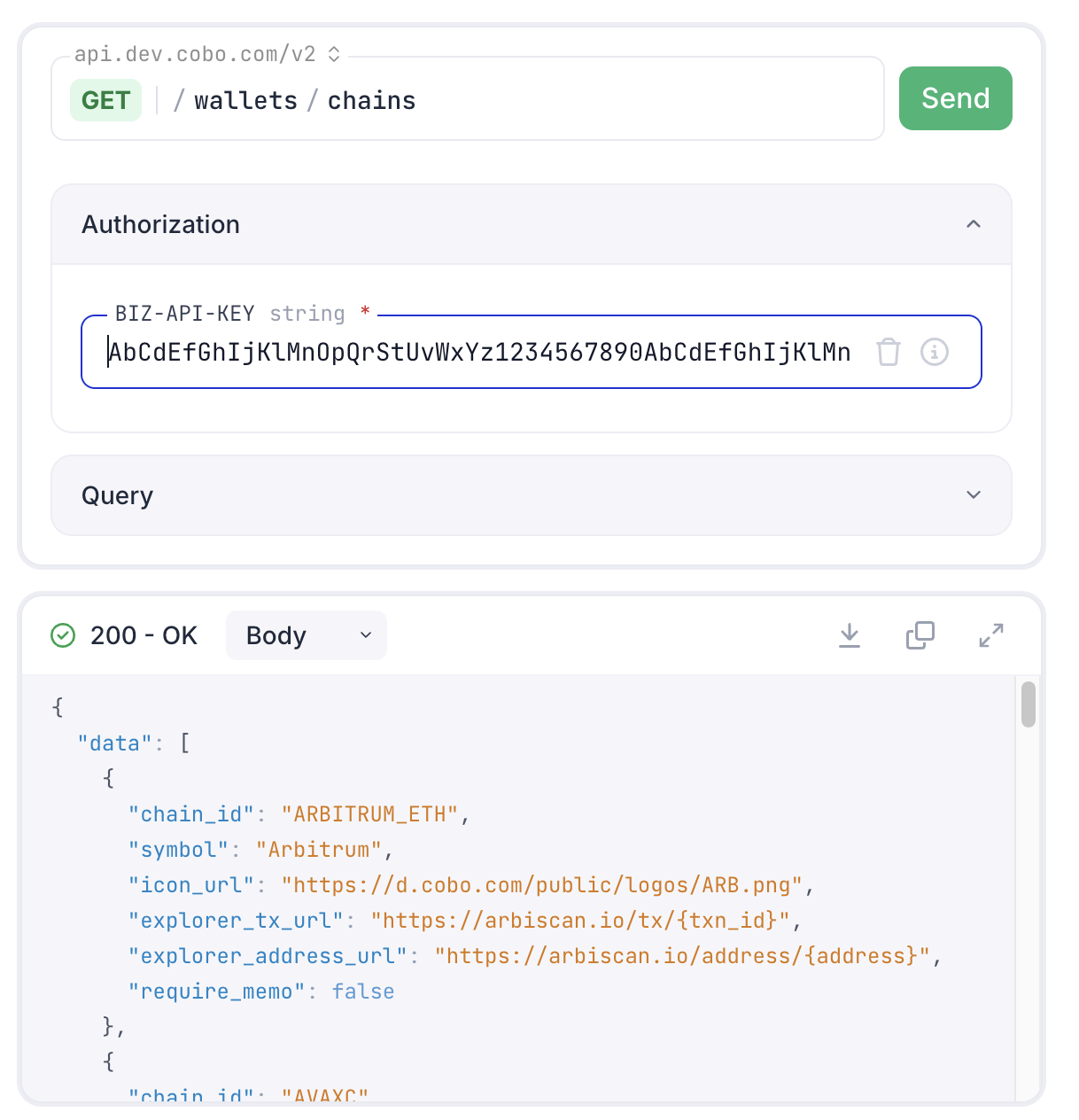
* Click **Authorization**, and then enter your private key into the `BIZ-API-KEY` field.
* Set the path parameters, query parameters, and request body as needed.
3. Click the **Send** button to submit the request.
Upon successful submission, you will find the response returned from the WaaS service under the request composer.